Chrome extension for Fiverr sellers

The answers you need are already in your inbox.

A long project buries them under hundreds of messages. Scrolling back to brief an AI on one takes an evening. This button takes one click, and the whole conversation becomes clean markdown your AI can read.

Add to Chrome — Free Live on the Chrome Web Store.
Markdown Export for Fiverr: one click copies a Fiverr conversation as markdown, and an AI assistant answers questions about the project from the exported file.
How it works

One click beside the client's name.

The button appears in your inbox conversations and in the brief overview drawer. Click it, and the export lands where you want it: your clipboard, a file, or a zip.
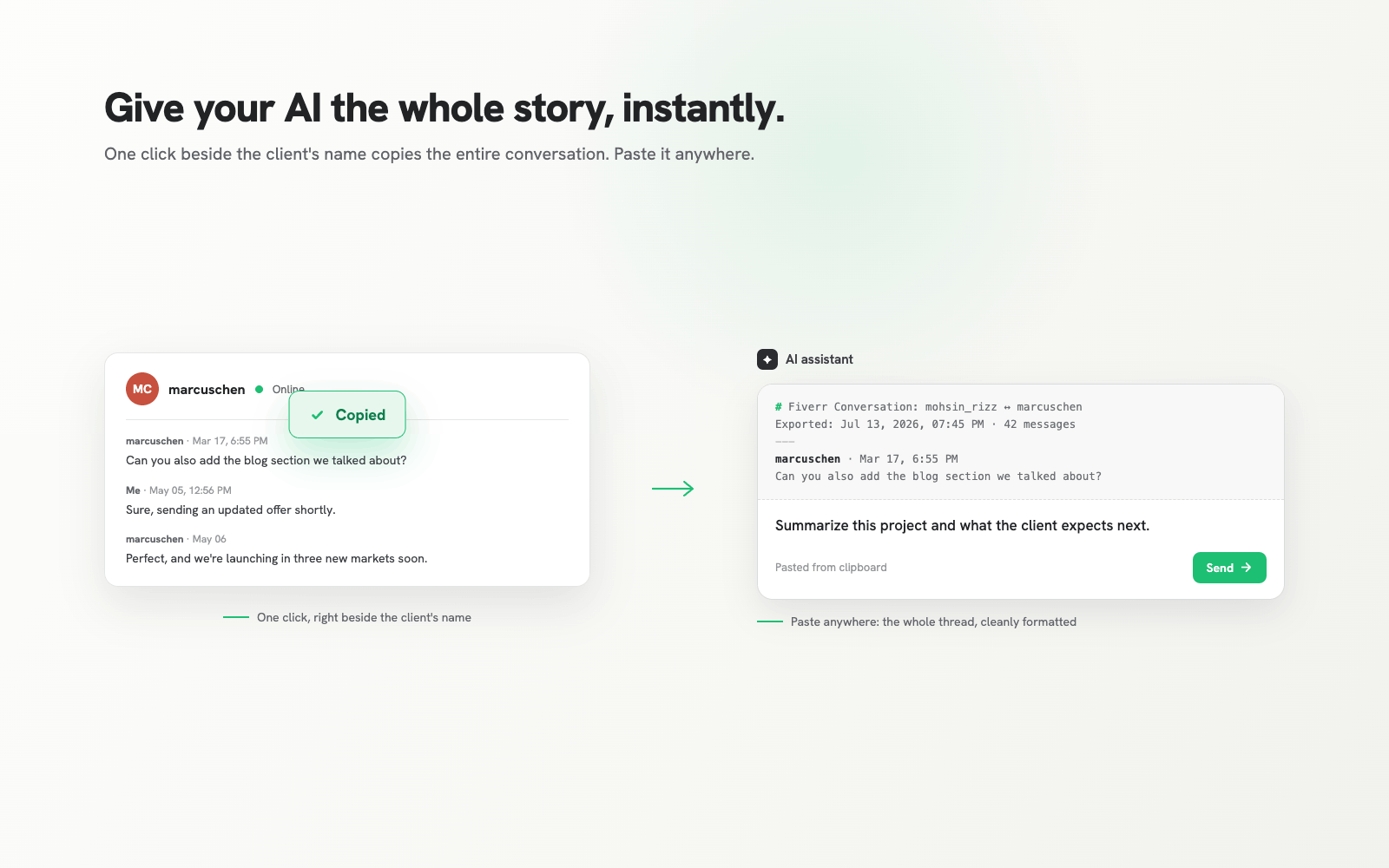
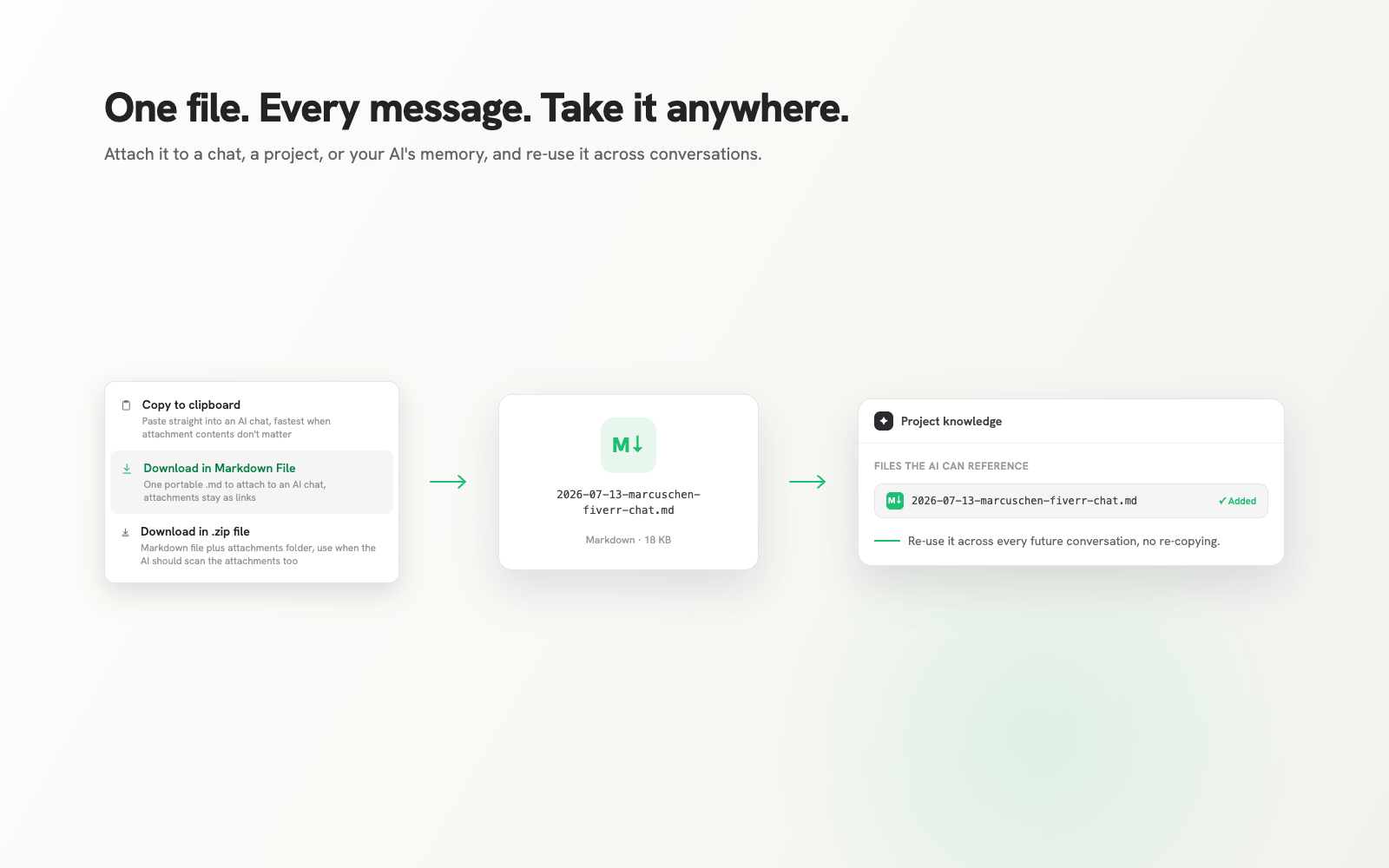
A Fiverr chat is copied and pasted into an AI assistant as a cleanly formatted markdown thread.
Copy to clipboard. Paste straight into any AI chat. Fastest when the attachment contents do not matter.
A downloaded .md file is added to an AI project's knowledge, ready to reference in every future conversation.
Download as .md. One portable file. Attach it to a chat, a project, or your AI's memory, and reuse it across conversations.
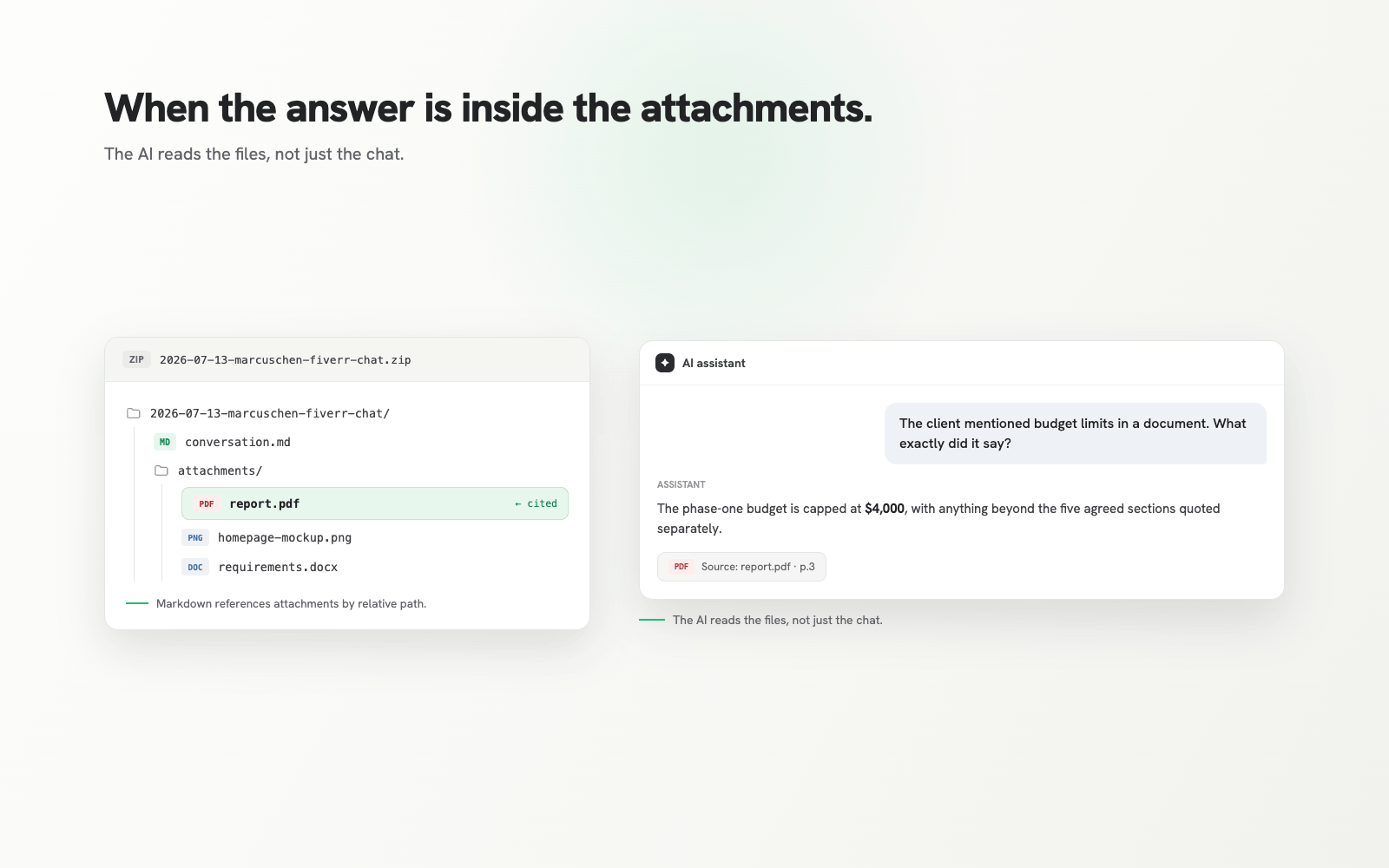
A .zip export containing the conversation markdown and an attachments folder; the AI cites a figure from a PDF inside the zip.
Download as .zip. The markdown plus every attachment, referenced by relative path. Use it when the AI should read the files too.
What you can ask

Questions scrolling would never answer.

Your AI sees the project the way you lived it: every message, offer, and revision, with sender and timestamp. Then you ask.
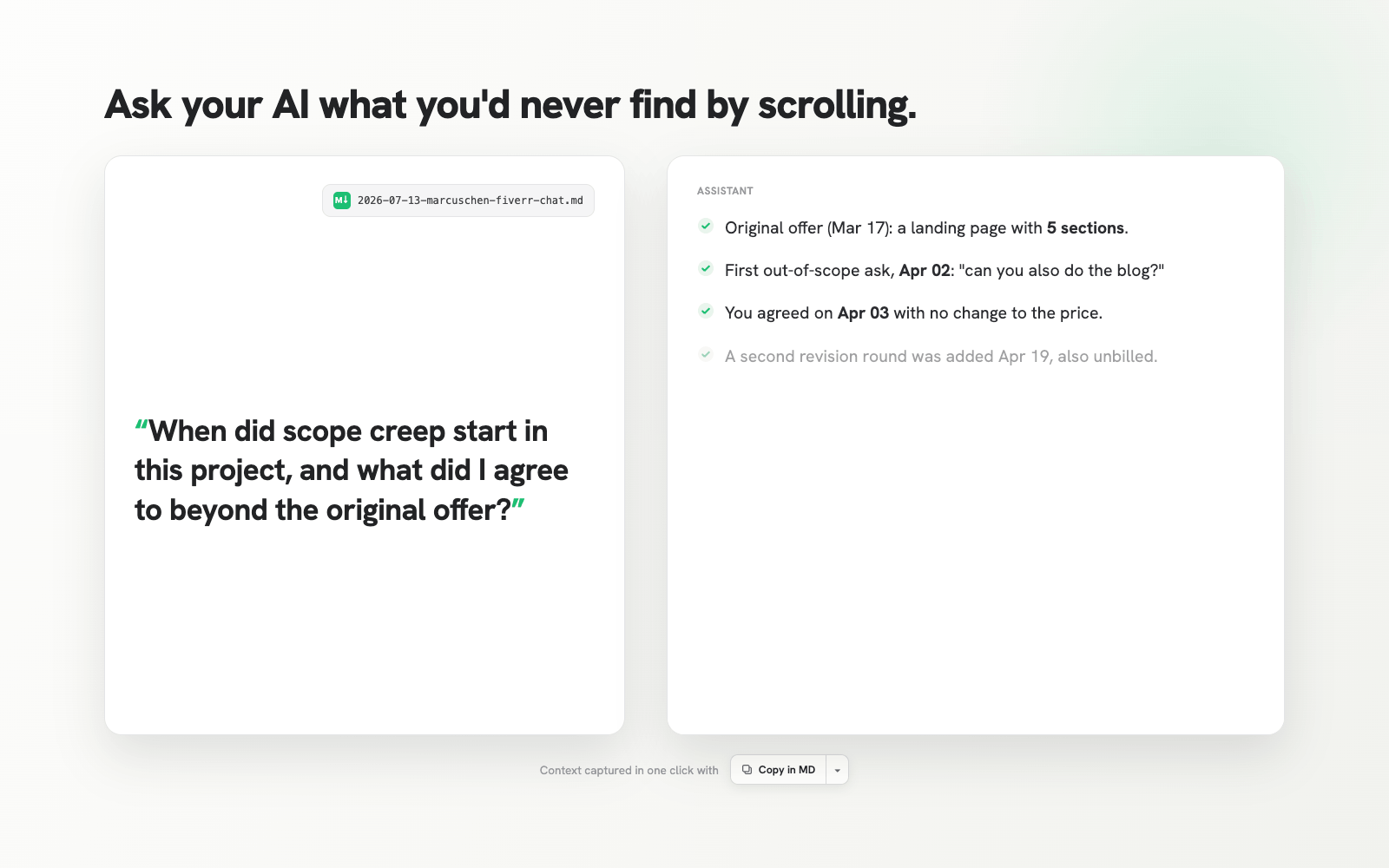
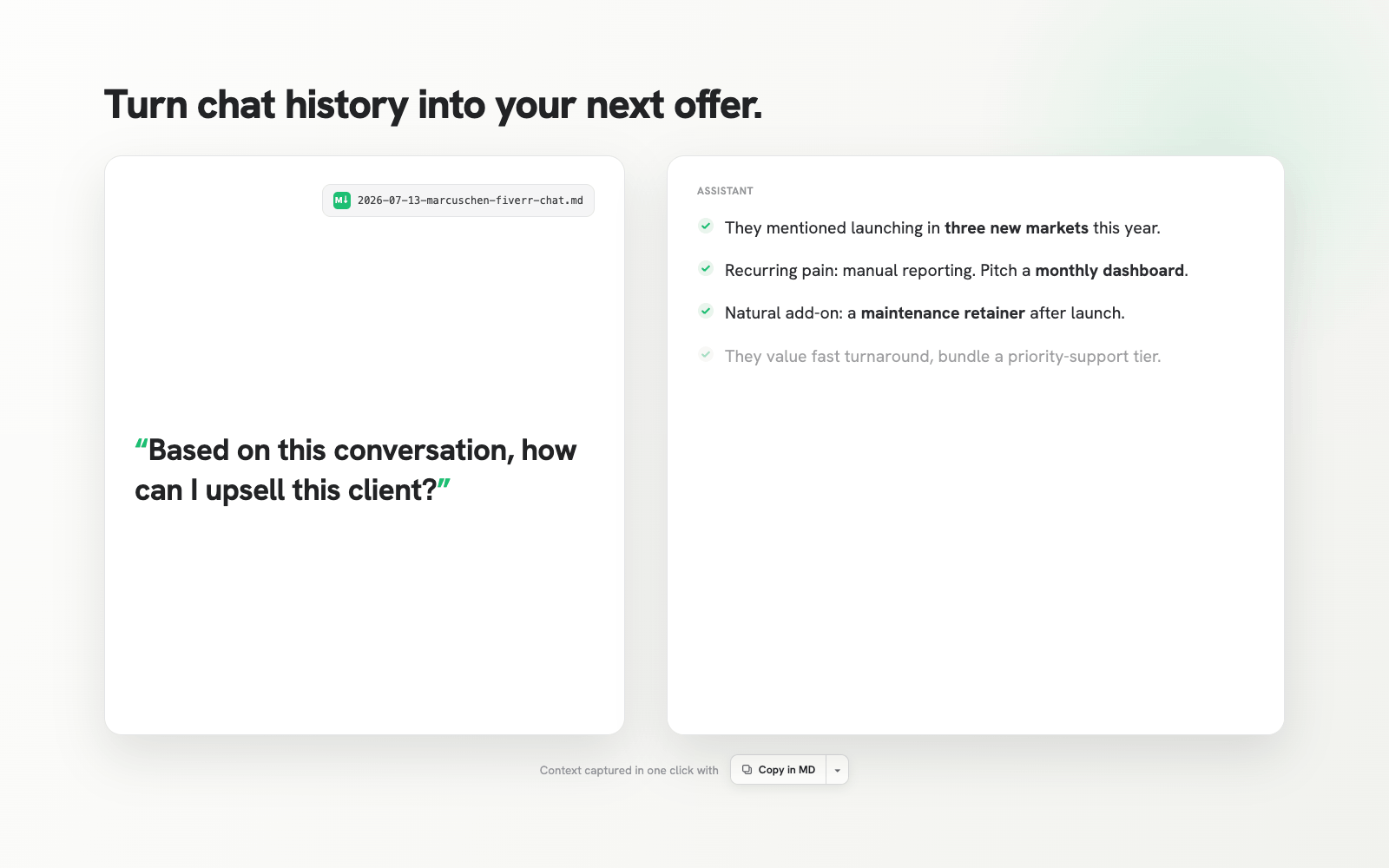
Asked when scope creep started, the AI pinpoints the original offer, the first out-of-scope request, and two unbilled additions.
Scope creep. Find the exact date the project drifted, and what you agreed to beyond the original offer.
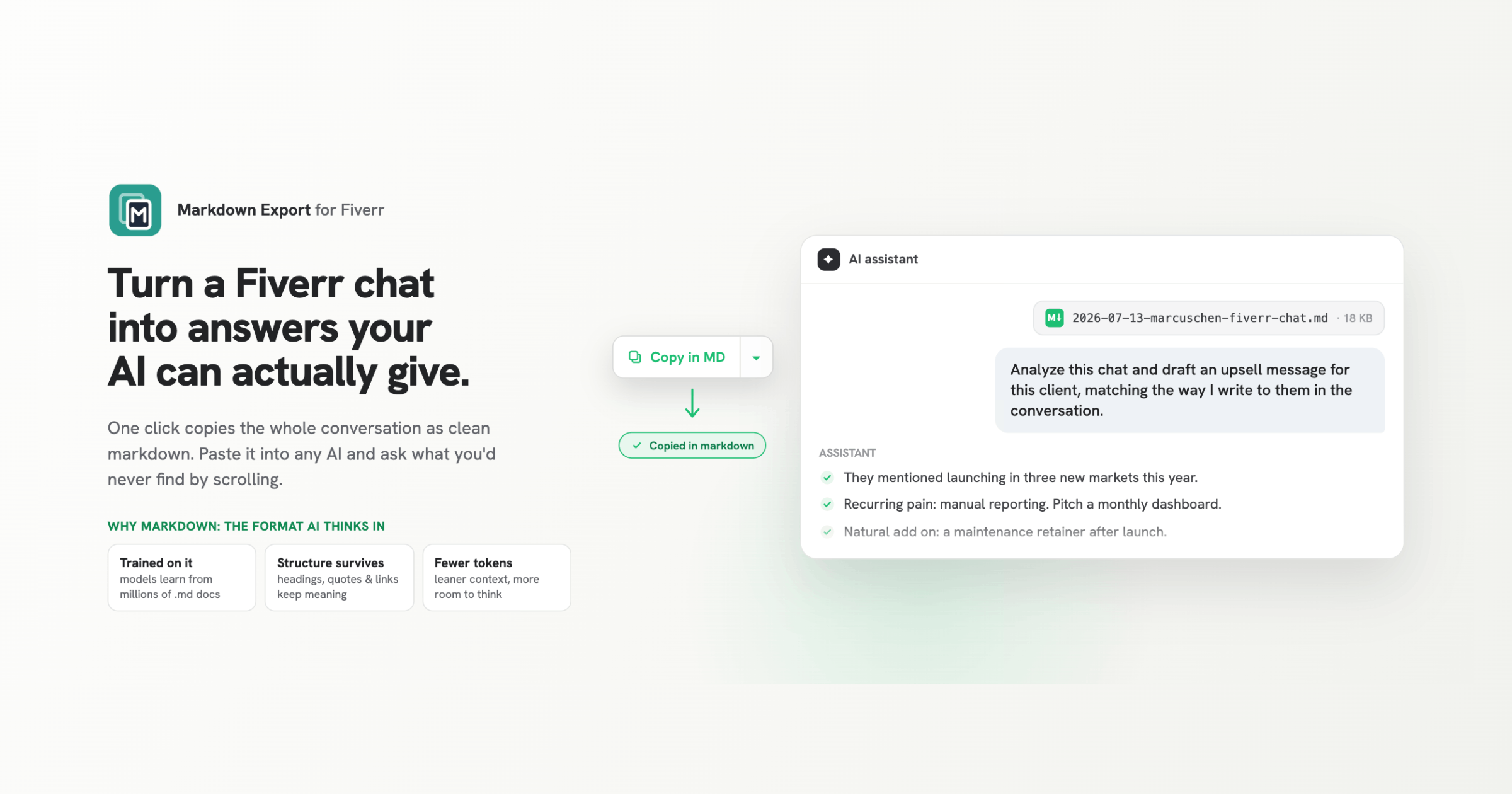
The AI reads an exported chat and drafts an upsell message based on the client's plans and recurring pain points.
The next offer. Draft an upsell that matches how you already write to this client, grounded in what they actually said.
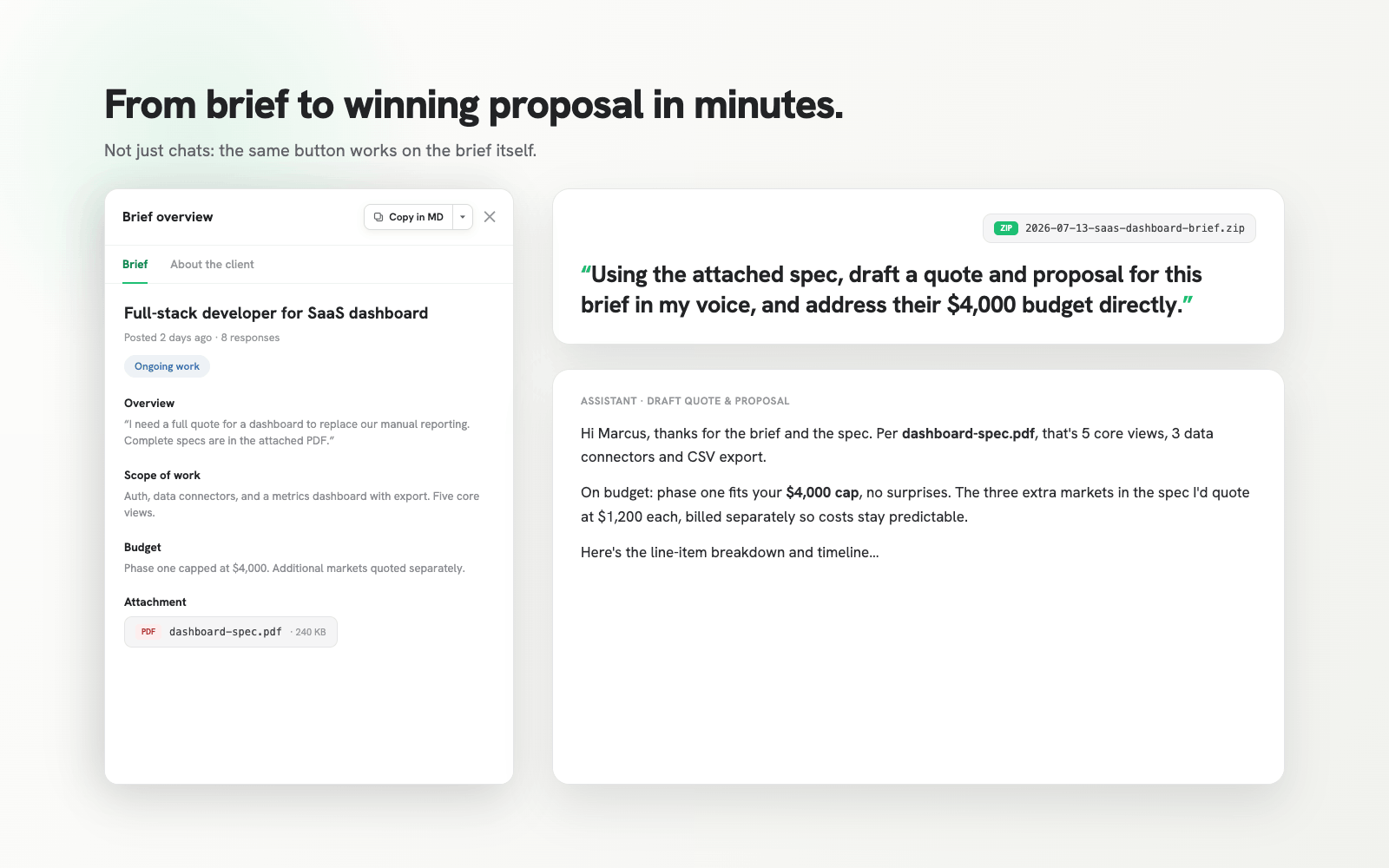
A Fiverr brief is exported and the AI drafts a proposal that addresses the brief's scope and budget directly.
Briefs too. Export a brief with every section and attachment, and draft a proposal that addresses it directly.
Why markdown

The format AI reads best.

Models were trained on millions of markdown documents. Headings, quotes, and links survive the export, where ordinary copy-paste destroys them. Markdown also costs fewer tokens than raw HTML, which leaves more room for your actual question.
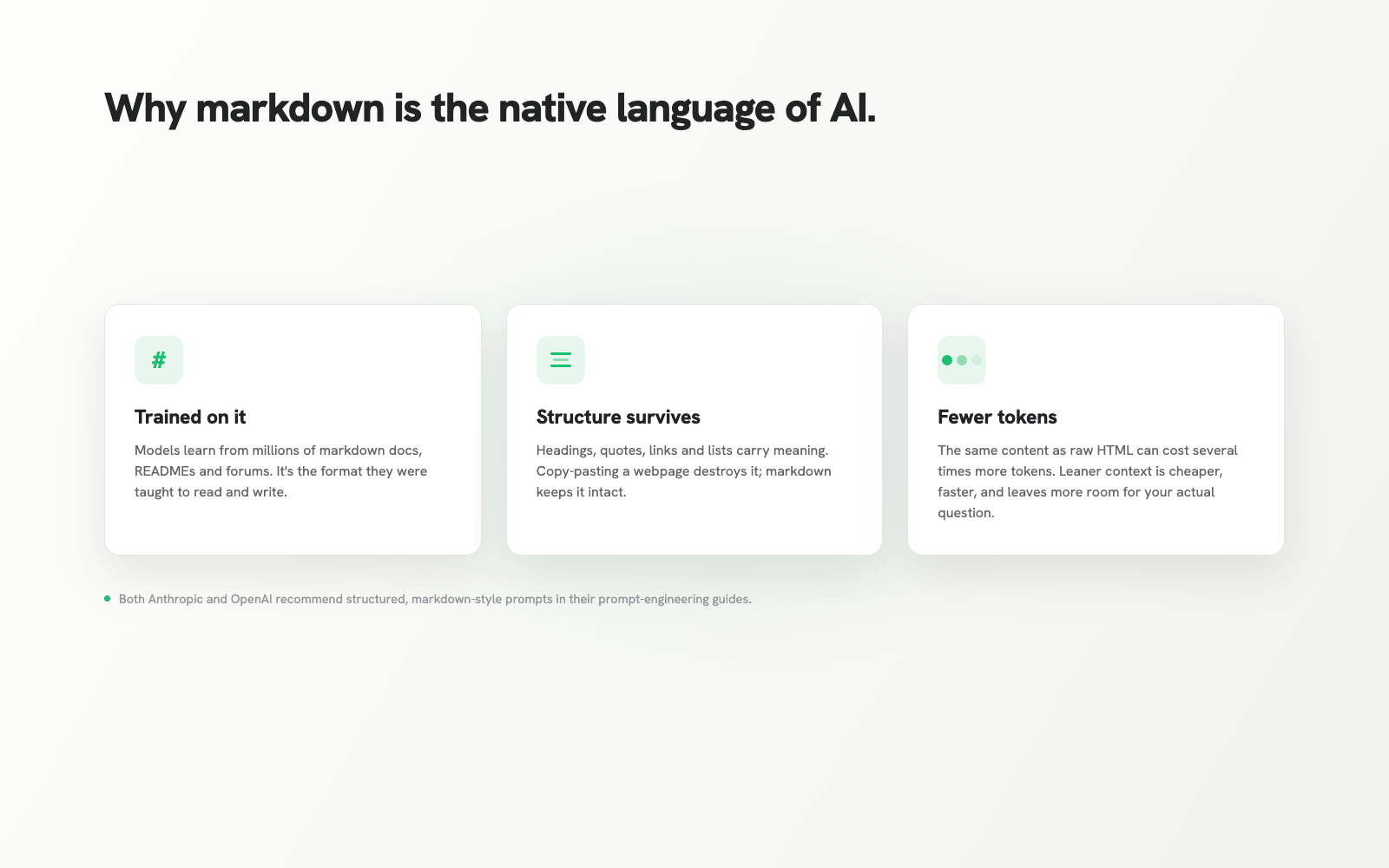
Three reasons markdown works for AI: models are trained on it, structure survives, and it costs fewer tokens than HTML.
Private & respectful

Your conversations never leave your browser.

No servers, no analytics, no accounts. The extension runs only on fiverr.com, stores exactly two settings, and your export goes only where you send it. The full detail is in the privacy policy.
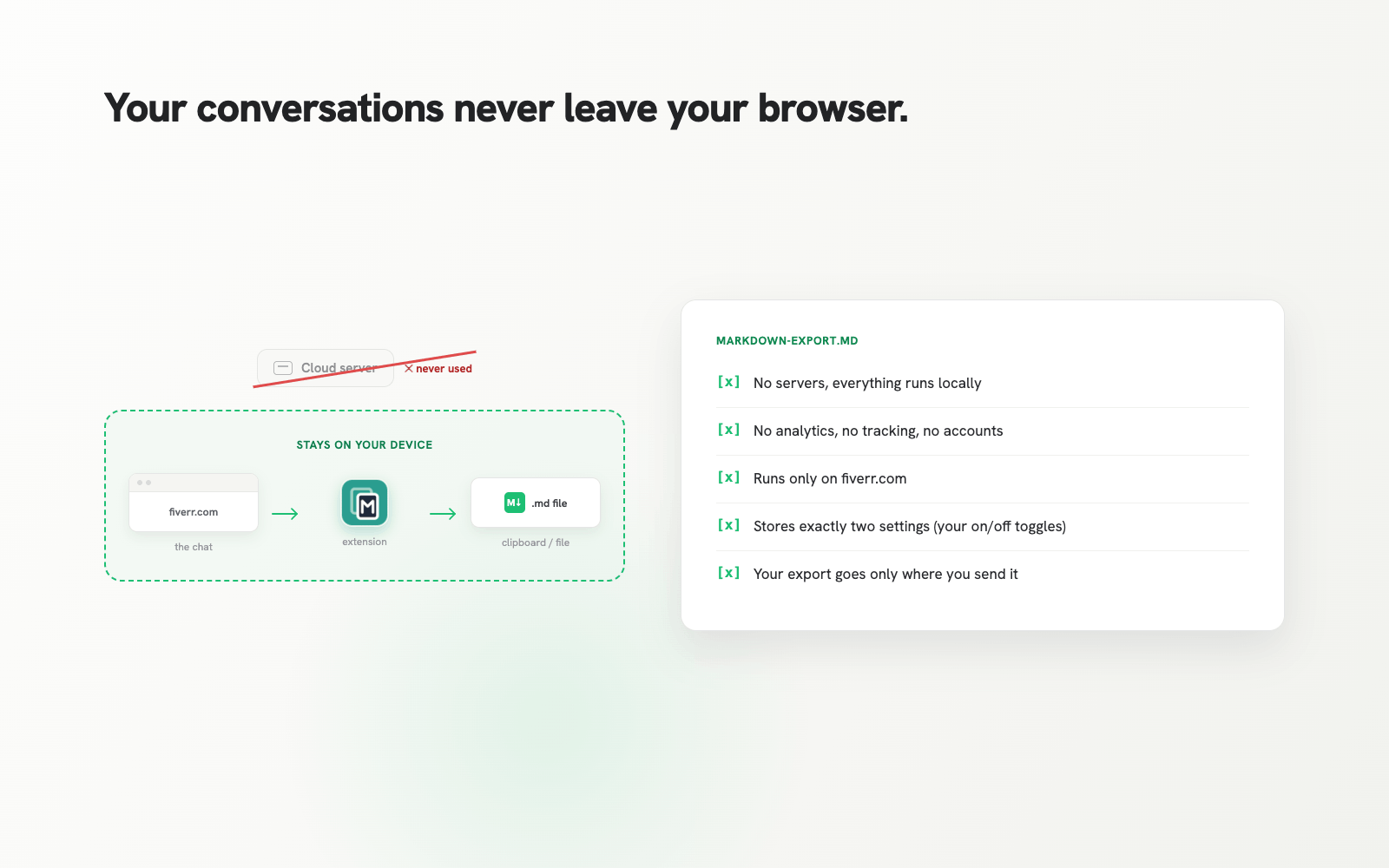
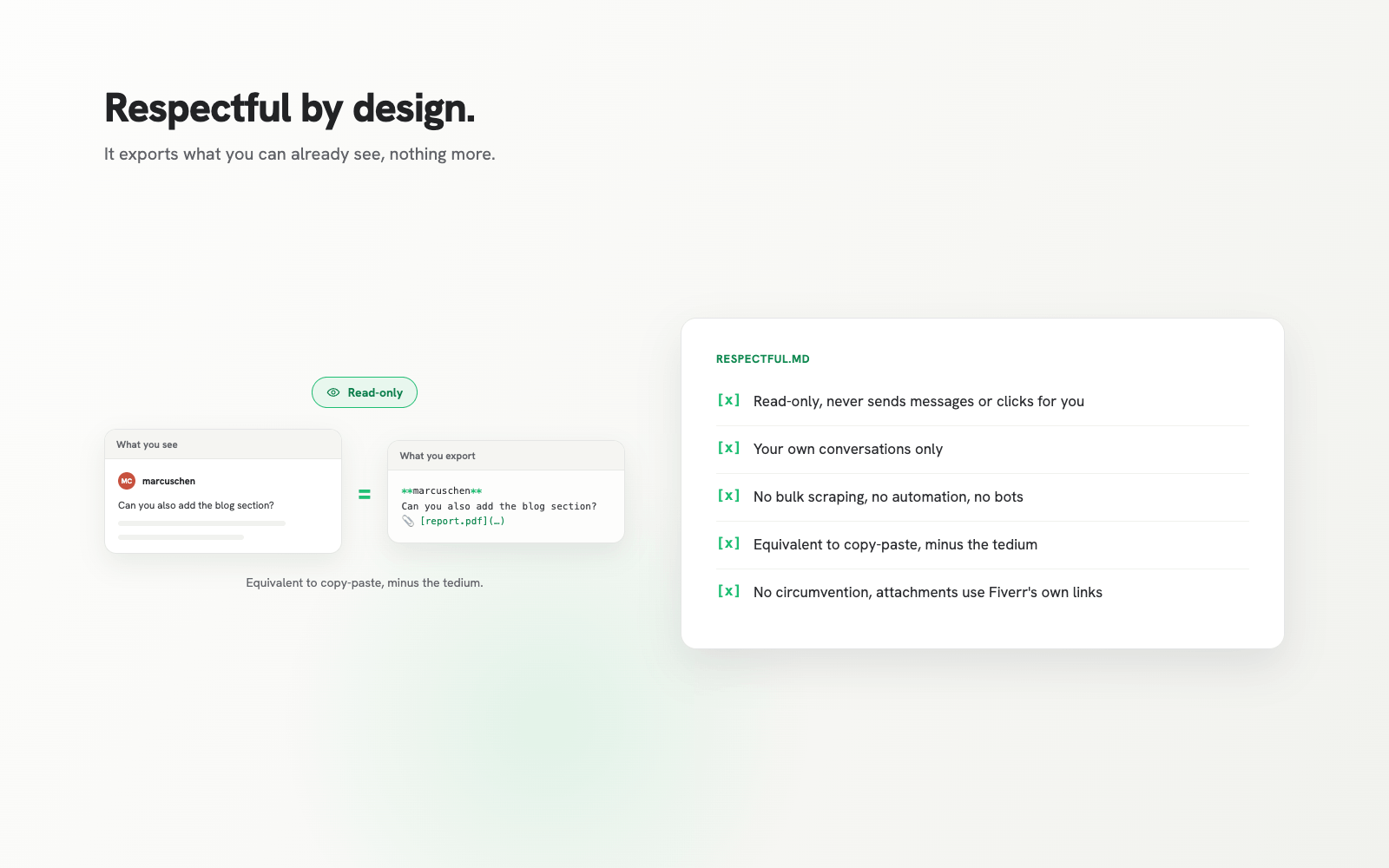
Diagram showing the export stays on your device: fiverr.com to the extension to a local file, with the cloud server crossed out as never used.
The export equals what you already see on screen: read-only, your own conversations only, no bulk scraping, no automation.
An honest note: if a project is three messages long, you do not need this. Copy-paste will serve you fine. The button earns its place on the long projects, where the history is worth real money and nobody has an evening to scroll for it.

One click, and your AI knows the whole project.

Markdown Export for Fiverr is free, runs entirely on your device, and exports only what you can already see.

Add to Chrome — Free Live on the Chrome Web Store.